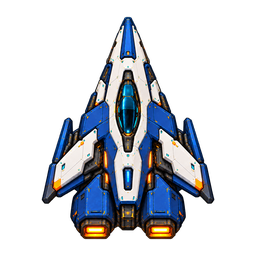
Standing by for construction orders
Start with one command station and one builder. Defeat opposing commanders. Choose offline solo or multiplayer with up to four human or AI players. Colors identify ownership; commanders on the same team are allies and share vision.
Choose map difficulty and AI difficulty separately. Map difficulty changes deposit counts, reserves and travel distances; explicitly marked infinite deposits remain infinite. All commanders start with balanced resource access. AI difficulty changes planning, reaction time, scouting, fleet composition and coordination. Easy allows more development time and one main offensive; Medium uses a balanced economy and mixed fleets; Hard adapts and raids; Extreme coordinates multiple fronts and abilities. With AI Handicap set to None, every tier uses the same resource, production, research and combat rules as human commanders and must scout enemy positions. Legacy modifiers are optional: Easy uses 0.8× production/research and 0.8× income; Medium 1× and 1×; Hard 1.2× and 1.15×; Extreme 1.45× and 1.35×. Legacy saved matches retain their earlier AI rules. Solo and multiplayer commanders can choose Red, Orange, Yellow, Green, Blue, Indigo, Violet, Cyan or the existing Purple. Multiplayer difficulty is controlled by the host and locks on launch. Saved games keep their settings.
Select a completed Orbital Command and choose Upgrade Orbital Command · Tier 2. The 50-second refit costs 1,500 Metal, 450 Crystal and 30 Crew. The larger Bastion command has twice the weapon damage, hull and shields, and provides 200 fleet capacity instead of 100. Its sensor range increases by 50%, from 1,350 to 2,025 units. Production and automatic defense remain active during the refit. Each command upgrades independently; Cancel Tier 2 upgrade refunds its cost. Damaged commands retain their hull and shield percentages when the upgrade finishes.
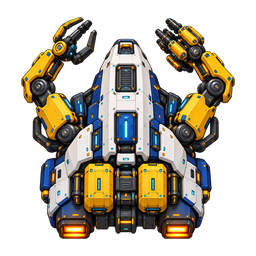
Build options show missing resources, capacity, queue space and dependencies. Hover, focus or tap an option’s ⊘ icon for its full explanation. Unfunded engineering projects can still be queued and show exactly which resources they are waiting for. Select multiple engineering vessels and right-click an unfinished site to combine construction speed, or right-click a working shipyard to accelerate its current ship. Repair ships and engineers can repair the same friendly or faction-allied unit together; every active helper contributes. Right-click a different target or issue Stop to leave the job.
Every ship has a job. Prices below show metal, crystal and crew reserved during production. Crew already aboard is tracked separately from the available crew pool.
Hull is structural health. Shields absorb damage and regenerate after quiet time. Hull hits can damage engines, weapons, shields, sensors and life support. Systems below 25% impair their function: engines slow movement, weapons lose damage, shields fail, sensors lose sight and life support loses crew. A ship without crew becomes a derelict.
Repair: select Patchwork or a builder and right-click a damaged friendly ship or station, or choose Repair ally. Green moving beam particles and a target ring confirm actual repair. Repair restores hull, shields and subsystems. Use Dock / repair and click a command station or shipyard for faster repair. Recrew within 250 of a friendly command or yard; this draws from your available crew pool.
Boarding: select Breacher, choose Board / capture, and click an enemy. It approaches, attacks shields, lowers its own shields and transports troops once the enemy shields reach zero. Boarding reduces the enemy crew; taking the last defenders captures the unit. Keep more than two crew aboard your transport. Amber beams mark boarding. Construction ships can tow disabled ships back to command.
Special energy: ships carry 100 energy and regenerate 3 per second. Researched abilities generally cost 40 energy and have a 10-second cooldown. Offensive abilities require a visible enemy within 900. Bastion protects nearby allies, Longwatch disables engines, Kestrel chains damage, Lancer lays mines, Atlas reflects damage, and Haven provides repair, shield disruption or point defense. Select an ability from the command pages; targeted abilities then ask for a target.
Leviathan: Separate sections produces independently controlled command and engine sections. Both retain proportional hull and crew. Bring the matching sections within 250 and choose Rejoin on the command section. Losing either prevents rejoining.
Formations set the destination arrangement for subsequent move, patrol and attack-move orders: wall, wedge, column, circle or wide screen. Individual routes bend around planets. Vessels with active movement pass through ship and station traffic so another unit cannot trap them. Green alert holds fire; Yellow returns fire after taking damage; Red engages enemies in range. Movement High allows pursuit; Hold prevents automatic pursuit and limits automatic repair to local range. Explicit orders still move a ship. Special Manual leaves abilities to you; Reserve energy uses automatic abilities conservatively; Automatic spends more freely. Idle Patchwork always tends nearby damaged allies and proceeds to the closest one after each repair, including shield-only damage.
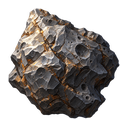
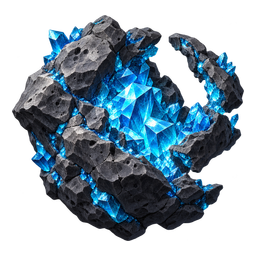
Mining: an outpost commissions one freighter and automatically mines Metal, Crystal or Gold deposits within its current sensor range, one deposit at a time. After a deposit is exhausted and its last cargo is delivered, it chooses the next nearest deposit in range. Infinite deposits remain active indefinitely. Outposts accept all three currencies. Select an outpost to see its current resource, extraction speed, freighter state and cargo. Extraction is 18 units per second while actively mining and zero while travelling or delivering; cargo becomes spendable when delivered. Asteroids provide Metal, Crystal or Gold directly on delivery. Select a miner to inspect its cargo in transit. Each delivered unit adds one unit of the matching currency. All moons supply Crystal exclusively through extraction platforms; yellow-green clouds supply gold. Use extraction platforms near planets for Metal. Selected planets list their extractable Metal reserves and live mining rate. Standard planets have finite deposits; worlds marked ∞ INFINITE do not deplete. About 5% of mineable asteroids (rounded to a whole asteroid) are infinite, randomly distributed at least 1,200 units apart and labeled ∞ INFINITE. Metal buys hulls and structures; crystal powers advanced equipment; crew is required for production and recrewing.
Trading: build two Trade hubs. Train Wayfarer at command, select Trade route, and click one of your hubs. The ship shuttles between that hub and another owned hub; completed outward legs pay metal and crystal, with more income for longer routes. Deliver metal or crew carries resources from your hub to a partner’s hub instead.
Colonization: build Seedark at a standard shipyard. Choose Colonize planet and click an explored, unclaimed temperate, desert or ice world. It settles for 12 seconds in orbit and is consumed. A colony adds fleet capacity and grows its population toward a planet-specific cap; populated colonies replenish crew. Planet types have different metal yields. Stars, gas giants, volcanic worlds and moons cannot be colonized.
Research: Research facilities unlock Advanced hulls and combat abilities. A Science laboratory requires a research facility and unlocks Haven’s specialist abilities. Each queued project progresses only while its original facility remains operational and owned by you; completed abilities require the appropriate operational facility and surviving research pod. Pods are separate targets: destroying one removes that research. Fleet Systems Institutes upgrade five systems through two tiers. Research costs are paid when queued.
Sentinel platforms provide light pulse defense; Bastion platforms provide heavier missile fire. Sensor Arrays extend reconnaissance. Extractors must be built near a planet. Build Research → Science laboratory → Fleet Systems Institute → Chrono station to unlock the advanced infrastructure chain. Research Temporal stasis at Chrono, then select its ability and click a visible enemy: 80 energy freezes nearby enemies for 10 seconds, with a 60-second cooldown.
Research pods are individually targetable and depend on their parent station. Institutes offer two upgrade tiers for weapons, shields, sensors, engines and life support. Each shipyard has one repair bay: ships wait their turn and show green repair beams while receiving service.
Trade hubs offer a market: buy metal or crystal with gold, or sell them for gold. Neutral traders visit operational hubs. Longer Wayfarer trade routes earn more. Once surveyed by sensors, terrain effects remain labeled below each nebula or hazard name, including after your ships leave sensor range. Nebula colors indicate hazards or recovery areas; wormholes connect distant sectors, with entrances at least 6,000 map units apart on newly generated maps. Black holes threaten engines and pull in disabled ships. Asteroid belts block movement, so route around them.
Each new match generates a named system with fresh planets, moons, asteroids, nebulae and passages. Everyone in a multiplayer match shares the same map. Reconnects and saves preserve that map. Each commander starts beside an owned, shielded temperate capital and equal nearby Metal, Crystal and Gold asteroids.
Click a planet or press the Capital shortcut to inspect its population, garrison, defense integrity, shields and development. Colonize unclaimed habitable worlds with a Seedark: it settles in orbit for 12 seconds and is consumed. Colonies grow population, provide metal, gold and crew, and increase fleet capacity.
Development: choose planetary shields, shield regeneration, orbital defenses, industry or civilian development. Each has three tiers; prices and construction times increase by tier. One project runs per planet. Canceling returns the unspent portion of its cost. Shields regenerate after a quiet period; upgraded defenses fire on nearby visible enemies.
Conquest: armed ships damage shields, then defensive systems, then population. Defenses stop firing at zero integrity. Continued bombardment reduces population to zero, making the planet unclaimed and stopping growth, production and regeneration. Colonize with a Seedark or land at least 100 settlers to claim it. Select a Breacher and choose Embark 100 settlers within 250 of an operational friendly command station or shipyard; this spends 100 available crew. Choose Land settlers and click an unclaimed planet. Landing proceeds at 20 people per second; partial landings accumulate for your commander. Rebuild damaged defenses with the paid planetary reconstruction project. AI commanders also develop capitals and send colony ships to expand.
Planetary extraction: platforms refine planetary metals directly into metal. Select a platform to see its current metal per second and cumulative output. Planet type determines the rate; construction, crew loss and stasis stop extraction.
Automatic field repairs: idle engineering vessels and Patchwork tenders seek damaged friendly ships and stations within their own sensor range, including faction allies. They restore hull, shields and subsystems, then continue to the next nearby target. Assigned orders and engineering construction queues take priority. Hold position keeps automatic repairs within beam range. Sensor damage, research and nebula interference affect detection range.
Engineering construction queues: choose a structure and place it, then choose and place additional structures while the vessel works. Hold Shift while placing to repeat the same structure. Each engineering vessel builds one item at a time. Pending items are unpaid until they start; if resources or crew are insufficient, the vessel waits and resumes automatically. Each selected engineer shows its own active site and queued structure sprites above the hull bars. Click a queue sprite to pause or resume that item; hover or focus it for pause/resume and cancel controls. Pending jobs remain unpaid until they start. Ship production, research pods and planetary development use the same controls. Stop or a new movement/repair order clears pending construction; an interrupted paid site remains available to resume.
Use Q / E or the side arrows in a selected unit’s command panel for cancel/refund, decommission, automated scouting, search and destroy, priority repair, crew transfers, allied gifts and self-destruct. Decommissioning recovers part of the hull’s resource value and surviving crew; ships return to a shipyard. Self-destruct gives no refund and asks for confirmation. Production and research cancellations return their reserved resources. Fleet supply and a separate 600-officer limit govern expansion.
Faction allies can receive direct gifts of metal, crystal, gold, crew or selected units. The Haven’s researched Gemini projection creates a temporary combat copy for 30 seconds at 60 special energy; copies cannot create economic value through gifts, salvage, construction or crew export. Enhanced Sensors lets scouts and sensor arrays reveal cloaked enemies. Planetary development, fleet systems and economic rules belong to Star Rangers: Space Command.
LMB select; drag selects up to 16 shipsShift + click add/remove shipsDouble click select visible ships of a classRMB context action: move, attack, repair, mine, board or colonizeTab + RMB append a normal waypointAlt + RMB warp combat vessels outside gravity wellsCtrl + 1–9 assign fleet exclusively; number recallsCtrl + Shift + number add ships; double-tap number centers
W A S D / arrows / screen edge pan; hold Shift for faster travelMiddle drag pan; wheel zoomsF2 system view; Home home commandT Y / G H / B N first six commands, matching their rowsU I / J K / M , second page; O P / L : / . ? thirdHold Shift with the same pattern for pages 4–6. The : and ? badges use the semicolon and slash keys. Shortcuts can activate offscreen pages.Q / E previous / next six commandsZ / C previous / next selected ships; closes fleet controlsX open fleet controls; press again to cycle formationShift + X travelShift + Z / Shift + C / V alert / movement / special behaviorBackspace / R / F Stop / Patrol / Attack moveEsc / RMB cancel placementSpace pause solo; F1 helpF8 performance displayMenus do not pause online play. Use the mission menu’s Performance graphics preset on slower devices.
Solo expeditions autosave in this browser. Save Now keeps a separate manual save. Save & Quit returns to the main menu; online commanders can reconnect to their existing fleet.
Desktop mouse and keyboard recommended. Offline solo / 4-player multiplayer · v0.9
This replaces this browser’s saved mission. You will begin again with one command station and one engineering vessel.
Loading expedition controls…
A NEW EXPEDITION
Choose your challenge. Make this system your own.
Balanced resources and travel distances.
A measured challenge from rival commanders.
Head to head in a newly generated system.
Your fleet, stations and player identity.
One command station. One engineering vessel. A world of possibilities.
Only the loaded solo expedition will be deleted. Other saved expeditions stay in this browser.
Invite allies, welcome players, then start your match.
Applies to all AI commanders.
Human alliances take effect once the other commander accepts.
Your request goes to the host for approval before you join.
Your game appears in available games once hosted.


 UTILITY